Eat Blobs Simulator Guide Updated 1 November 2026
 By Ali Raza · Senior Codes Editor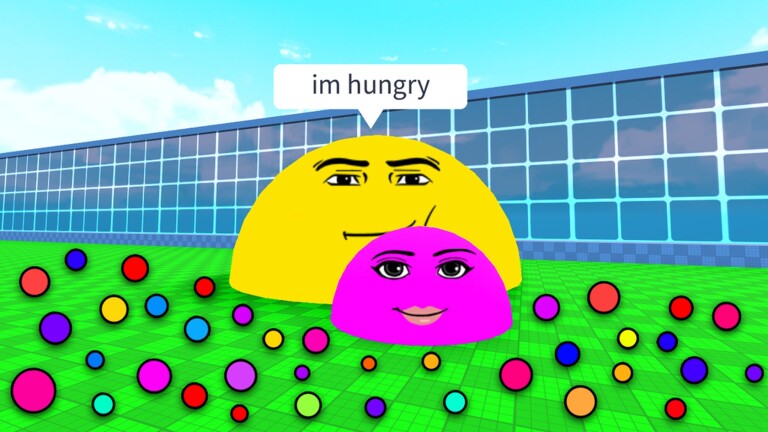
Eat Blobs Simulator is Roblox's take on the classic eat-or-be-eaten arena: you start as a tiny blob, hoover up slimes to grow, and once you are big enough you can hunt the players who used to hunt you. It is simple to pick up and brutal to master, because one greedy chase can end a whole run. This guide explains how size, skulls, skins and levelling actually work, and how to climb the leaderboard without feeding yourself to someone bigger. For a free head start, redeem everything on our Eat Blobs Simulator codes page first.
▶ Play Eat Blobs Simulator on Roblox
How Eat Blobs Simulator works
Eat Blobs Simulator, by Strategic Studio, drops you into a shared playground arena as a small blob. Scattered across the ground are slimes and small orbs — run over them to eat them, and every one adds to your size. Size is everything: you can only eat players smaller than you, and any player bigger than you can eat you just as easily. Get eaten and that run is over — you respawn small and start again.
As you grow, you reach the point where you can chase down and devour other players. Player kills are where the real rewards are: devouring another player gives a much bigger size jump than grazing, and it earns you skulls, the currency used to unlock skins. A live leaderboard tracks the biggest players in the server, and the goal is simple — survive, keep growing, and become the strongest blob in the game. Codes are a shortcut into this loop: almost every code grants a size increase, so redeeming them is free growth before you have eaten a thing.
Getting started — your first run
Redeem your codes before you start playing seriously. Use the Codes button on the left side of the screen, enter each code exactly as written, and claim the size boosts — starting bigger makes the dangerous early minutes far safer.
Graze, do not hunt. As a fresh spawn you are food for almost everyone, so spend your first minutes eating the slimes and orbs spread across the ground, away from the biggest players on the leaderboard.
Learn to read sizes at a glance. Only chase a player when you are clearly bigger than them, and break off the moment a larger blob drifts into the area — they are watching you chase, not your target.
Take your first kill carefully. Pick a lone player noticeably smaller than you, cut off their escape route rather than chasing in a straight line, and absorb them for the size jump and your first skulls.
Spend skulls in the skins menu once you have saved enough (see below), and keep playing to level up — higher levels multiply your earnings and speed up every later run.
Growing fast — and surviving bigger players
Growth comes in two gears. Slimes and orbs are the slow, safe gear: they are everywhere, and steady grazing builds a solid base size. Player kills are the fast gear: one devoured player is worth a long stretch of grazing, plus skulls on top. The classic beginner mistake is switching too early — hunting while only slightly bigger than your target means a long chase, and a long chase paints a target on you for every big blob nearby.
Survival is mostly positioning. Keep an eye on the leaderboard so you know who the server's giants are, and give them a wide berth even if it means abandoning a chase. Play the edges and quieter areas while you are small, and always leave yourself an escape direction — never chase a smaller player toward a bigger one. Remember too that most boosts only last for that one life, while skulls are kept, so an early end is not a total loss if you banked skulls along the way. When a giant does come for you, do not run in a straight line: weave and change direction until they decide you are not worth the effort.
Skulls, skins and levelling up
Three progression threads run alongside raw size. Skulls are earned by devouring other players and persist between runs — they pay for skins. Skins are purely cosmetic, but they are the game's main collection goal, including designs like Future, Kitty, Code and Nugget. Levelling is the quiet multiplier: experience from eating and playing raises your level, which multiplies your earnings so later runs grow faster than your first ones.
| System | How it works |
|---|---|
| Size | Your power in the arena. Gained by eating slimes and orbs, by devouring smaller players, and from code boosts. Lost when you are eaten — you respawn small and rebuild. |
| Skulls | Earned by devouring other players. Kept between runs and spent in the skins menu. The main reason to hunt once you are big enough to do it safely. |
| Skins | Cosmetic looks bought with skulls in the skins menu, including designs such as Future, Kitty, Code and Nugget. No gameplay advantage — pure style and bragging rights. |
| Levels | Experience from eating and playing raises your level, which multiplies your earnings and speeds up how fast future runs snowball. |
| Leaderboard | Ranks the biggest players in the current server. A useful danger map as much as a scoreboard — check it to know who to avoid. |
The priorities follow from that table: early on, protect your size and graze; in the mid-game, convert size into skulls with careful kills; and let levels accumulate in the background, because their multiplier rewards every future run.
6 tips to become the biggest blob
1. Redeem codes first, every time. Eat Blobs Simulator codes almost all grant size, which is the one thing that keeps you alive. A boosted start skips the most dangerous phase of every run.
2. Graze wide, not deep. Sweep slime-rich areas in broad loops instead of fixating on one patch. You grow at the same rate and are much harder to predict and corner.
3. Only hunt what you clearly outsize. If a chase is not over quickly, it is a trap — for you. Break off, graze, and take the next easy target instead.
4. Watch the leaderboard like a weather report. Knowing who the server's biggest players are tells you which areas are dangerous before you wander into them.
5. Bank skulls before you get greedy. Skulls survive being eaten; size does not. Do not throw away a great position chasing one more kill next to a giant.
6. Let levels do the heavy lifting. Because levelling multiplies your earnings, regular shorter sessions compound fast. Consistent play beats one marathon run that ends in a single mistake.
Latest Eat Blobs Simulator codes
| Code | Reward |
|---|---|
NOV25 | Size boost |
WIND | Size boost |
67 | Size boost |
SEPT | Size boost |
PUMPKIN | Size boost |
See the full Eat Blobs Simulator codes list for every working code, the ones worth trying, and the expired list.
Eat Blobs Simulator — FAQ
How do you get bigger in Eat Blobs Simulator?
Eat the slimes and orbs scattered across the ground to gain size steadily, then, once you are bigger than another player, chase and absorb them for a much larger size jump — plus skulls. Codes also grant direct size increases, so redeem them for a head start.
What are skulls for in Eat Blobs Simulator?
Skulls are earned by devouring other players and are spent in the skins menu to unlock cosmetic skins, including designs like Future, Kitty, Code and Nugget. Unlike most in-run boosts, skulls are kept between runs, so they are never wasted.
How do you redeem codes in Eat Blobs Simulator?
Press the Codes button on the left side of the screen, type or paste the code into the box exactly as written — codes are case-sensitive — and press Redeem or Submit. In this game most codes grant a size increase, so redeem them before a run rather than mid-chase.
What happens when you get eaten in Eat Blobs Simulator?
Your run ends and you respawn as a small blob, so your size resets and must be rebuilt by grazing on slimes again. Your skulls and your level are kept, and because levelling multiplies your earnings, each rebuild tends to be faster than the last.
More Roblox codes
Blox Fruits codes · Steal a Brainrot codes · Grow a Garden codes · Dress to Impress codes · Blue Lock Rivals codes · Type Soul codes · All 2690 Roblox code lists →
Never miss a new code! 📌
Follow getrobloxcodes on Pinterest — we pin every new Roblox code list as soon as it drops, so free rewards never expire on you.
One click and you follow us straight away — you stay on this page.